Activation Help
Manual website activation
Click Recorder Studio 1.0.1 uses a direct website/manual activation launch flow.
Activation steps
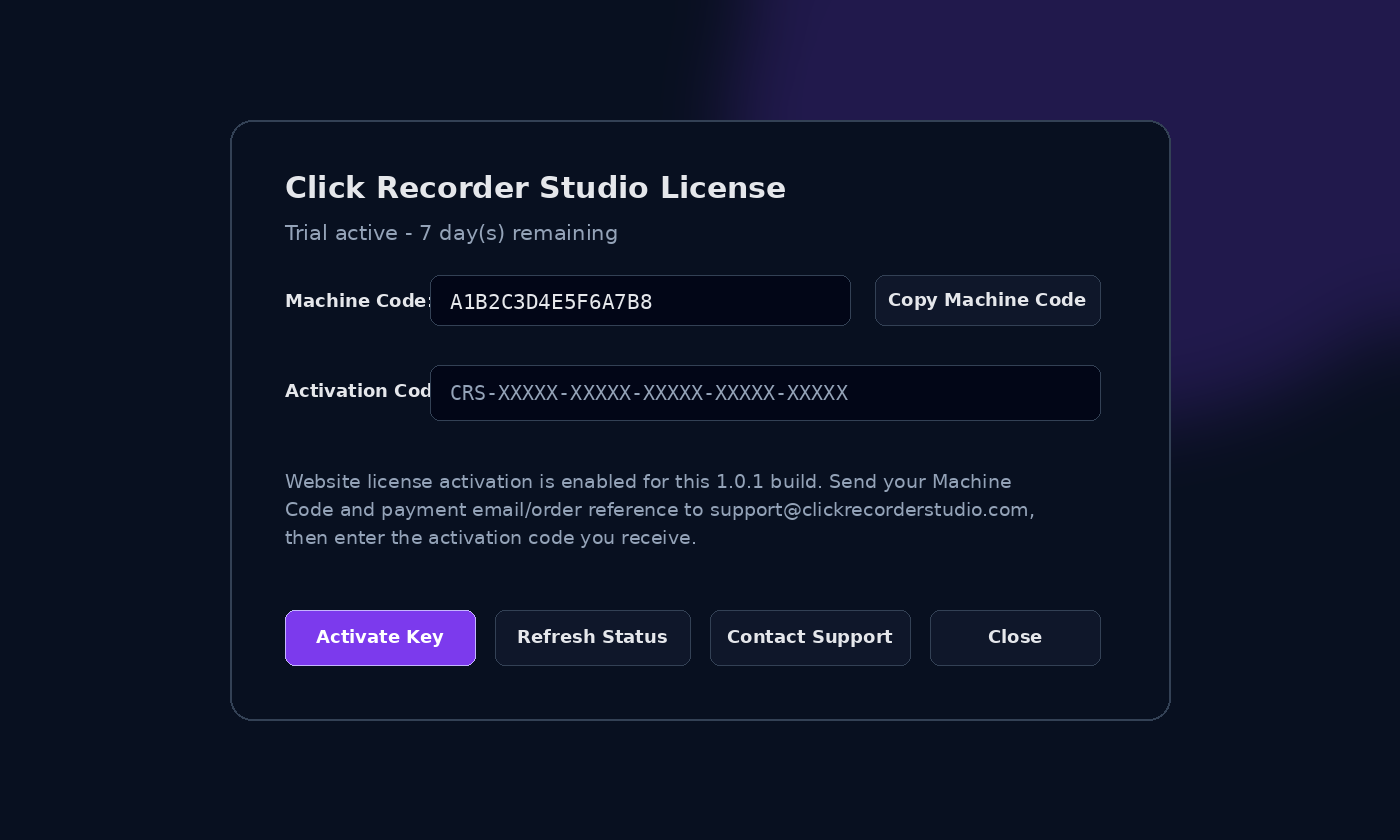
- Open Activation / LicenseIn the app, open Help > Activation / License.
- Copy Machine CodeUse the Copy Machine Code button.
- Send purchase detailsEmail your Machine Code and PayPal email/order reference to support@clickrecorderstudio.com.
- Enter activation codeAfter verification, enter the activation code in the app and click Activate Key.
Important notes
Activation is handled manually for this launch. Do not expect instant automated licensing unless a future automated license server is built and announced.
Activation codes are machine-specific. If you change computers, contact support with your purchase details.